


LA Daily News
2.632.00 Reviews
App Specs
- Version
- 10.0.60
- Updated On
- License
- Free
- Downloads
- 10,000+
- Developer
- MediaNews Group, Inc.
- Categories
- News & Magazines
- Platform
- Android
Screenshots

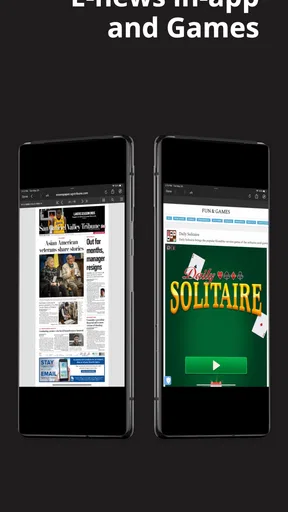
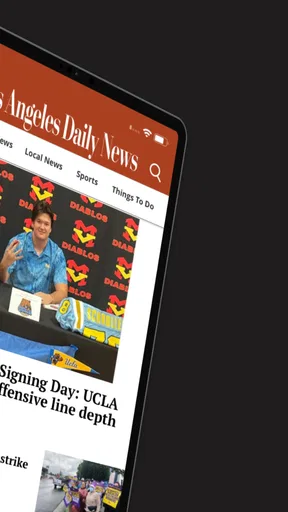
 Analysis by AppCompare
I approached LA Daily News as a focused way to keep up with news from Los Angeles rather than as a general-purpose national news hub. That distinction matters. The app comes from MediaNews Group, Inc. and sits in the News & Magazines category, so its value depends less on entertainment or customization and more on whether local reporting is what you want to see when you open your phone.
My overall impression is mixed but fairly clear: this is a useful choice for readers who specifically want the Los Angeles Daily News on a mobile device, while people looking for a polished all-in-one news reader may find the experience limited. The app is free to install, carries an Everyone 10+ age rating, and has a modest footprint in the Android store with over ten thousand installs. Its average rating is 2.6 from around eighty ratings, which suggests that the reading experience has not satisfied everyone.
I would not treat that rating as an automatic reason to avoid it. A local newspaper app can still be worthwhile if its coverage matches your daily needs. At the same time, I would go in with realistic expectations about speed, stability, and the possibility that some parts of the experience may feel less refined than those offered by larger news platforms.
How LA Daily News feels in everyday use
I look at everyday use through the practical question of whether a focused Los Angeles news app earns a place in my routine, rather than assuming that a dedicated app is automatically more convenient than a browser or a broader news feed. The key choice is how much attention I want to give one local publication, which leads naturally to the question of what I can verify and control.
A practical starting point for local coverage
The strongest reason to use this app is simple: it gives readers a direct mobile route to Los Angeles Daily News content. If your interests include what is happening around Los Angeles and you prefer a publication with a local focus, that narrow purpose can be more useful than scrolling through a broad feed filled with stories from everywhere.
I like the idea of opening a news app with a clear editorial identity. Instead of treating every headline as equally important, a local publication naturally gives more attention to the community it serves. That makes the app a better fit for someone checking the news before work, following developments that affect daily life, or wanting a local perspective rather than only national headlines.
There is also a practical advantage to keeping a dedicated newspaper app on the phone. It avoids the distraction of social feeds, where local stories compete with unrelated posts and rapidly changing recommendations. When I want a quick look at the day's Los Angeles news, a focused app makes more sense than searching the wider web from scratch.
Worth Reading Before You Choose

EA SPORTS FC Mobile 26 Is a Bigger Football Game, but It Takes Time

Flipboard Shows What News Apps Must Do Beyond the Feed

Switching to Android Auto Means Rethinking Your Driving Routine

Google Calendar Makes a Crowded Week Easier to Manage

Ludo King Makes the Most of the Minutes Between Plans

Baby Panda World Brings Quick Play to Modern Phones, but Its Game Library Feels Busy
What to expect when opening it
For speed, I would judge this app mainly by how quickly it gets me from launch to readable news. A news app does not need elaborate graphics to be useful, but it does need to feel direct. The best experience is one where the latest available stories are easy to identify, headlines are readable at a glance, and moving from one article to the next does not feel like unnecessary work.
Because this is a newspaper application rather than a lightweight headline widget, the first screen may involve more content than a simple list of alerts. That can make the app feel heavier than a basic news aggregator, especially on an older phone or when the connection is weak. In return, the reader gets a more publication-centered experience instead of a collection of links from unrelated sources.
My advice is to use it as a deliberate check-in tool rather than expecting it to behave like an instant breaking-news notification service. Open it when you have a moment to browse, scan the local headlines, and choose the stories that deserve your attention. That workflow plays to the app's purpose and reduces frustration if the newest content takes a moment to appear.
Where the app fits into a normal day
Imagine checking your phone over breakfast before leaving home. You want to know what is happening in Los Angeles, but you do not want to spend ten minutes sorting through national politics, celebrity posts, and unrelated international updates. This is where the app makes sense: open it, scan the local selection, read one or two relevant stories, and move on with your morning.
A second useful scenario is following a developing local issue over several check-ins. Rather than relying on a single social post or a search result with unclear context, you can return to the publication and see how its newsroom is presenting the story. The benefit is not necessarily speed alone; it is having a consistent local source to revisit.
On the other hand, I would not make this my only source during a fast-moving emergency. A newspaper app can be valuable for context and reporting, but readers who need immediate alerts from several sources may be better served by a dedicated breaking-news service alongside it. The two tools solve different problems.
Heavy-use moments and reading habits
The app is likely to feel most demanding when you move quickly through many stories, reload content repeatedly, or spend a long session reading articles with media elements. I cannot fairly attach a battery or data figure to that experience, but the general trade-off is familiar: a richer newspaper presentation can ask more from a device than a plain text headline list.
If I were using it heavily, I would avoid repeatedly closing and reopening the app between articles. A more efficient routine would be to scan the available headlines first, open the most relevant pieces, and return to the list only when I am ready for another selection. That reduces unnecessary loading and makes the session feel more organized.
Another useful habit is to distinguish between reading at home on a stable connection and reading while moving around the city. On a reliable network, the app should be easier to evaluate because delays are less likely to come from connectivity. When reception is inconsistent, a pause may have more to do with the network than with the application itself, so I would avoid judging performance from one poor signal area.
For commuters, this distinction is important. A reader who expects every article to appear instantly in a subway station or a crowded public network may be disappointed, regardless of the app. A reader who checks the app before leaving, then returns to it when connected, is more likely to have a smooth routine.
Stability and recovery after interruptions
Reliability is not only about whether an app crashes. It is also about how gracefully it handles interruptions. News reading is often fragmented: a call arrives, the screen locks, another app takes focus, or the connection changes while an article is loading. A good newspaper app should make it easy to return to the same story or at least recover without forcing the reader to start over.
With a local news app, recovery matters because people often read in short bursts. I may open a headline while waiting in line, pause when something else needs my attention, and come back later. If the app returns me to a sensible place, that is a quiet but important strength. If it resets the session or makes me search again, the inconvenience becomes noticeable quickly.
I would also keep the application updated rather than leaving an old build installed indefinitely. The current version is 10.0.60, and using the current release is the fairest way to assess stability and compatibility. Updates can matter especially on phones that have received newer Android system software, even when the app itself is not demanding.
The app has been available since February 24, 2012, which gives it a long history as a mobile news product. Longevity is not proof that every release is flawless, but it does make the application feel like an established newspaper companion rather than a temporary experiment. I still recommend restarting it if a page appears stuck, checking the connection before blaming the app, and keeping enough free storage for normal phone operation.
Device limits and Android compatibility
The minimum requirement is Android 8.0, so the app is aimed at phones running a relatively modern version of Android rather than very old devices. That is helpful for compatibility, but the operating-system requirement should not be confused with a guarantee of identical performance on every supported phone. Hardware, available memory, screen size, and network quality can all affect how comfortable a news app feels.
On a newer phone, I would expect the main concern to be convenience rather than raw capability. On an older supported device, the reader may notice slower transitions or longer waits when content is refreshed. If the phone is already crowded with demanding applications, a newspaper app may feel less responsive simply because the system has fewer resources available at that moment.
Screen size also changes the experience. A larger display makes longer articles easier to scan and reduces the need for constant scrolling. On a compact phone, headlines may be comfortable, but extended reading can feel more tiring. That is not a flaw unique to this app, yet it affects whether the application works as a primary reading tool or merely as a way to discover stories.
I would avoid installing it on a device that is already struggling with storage or multitasking and then judging it harshly for every delay. The better test is to use it after closing unusually heavy apps, with a stable connection, and with the phone's system up to date. Those simple conditions reveal whether the app fits your device more accurately.
Free access and the subscription question
The app is free to download, but it includes in-app purchases ranging from about fifteen dollars to around one hundred seventy-five dollars per item. That is the point where I would pay close attention before committing to it as a regular news source. A free installation does not necessarily mean that every part of the newspaper experience is available without a purchase.
For me, the important question would be whether the amount of reading I want justifies any paid access that appears during use. Someone who checks a few local headlines occasionally may prefer to stay with the freely available portion. A reader who depends on the publication every day may see more value in paid access, but should first understand what the purchase unlocks and whether it matches their reading habits.
I would not subscribe impulsively from the first prompt. I would browse enough to decide whether the coverage, writing style, and app performance suit me, then review the purchase screen carefully. The wide range of possible item prices means that users should distinguish between a one-time option and any recurring commitment before confirming payment.
This is also where alternatives become relevant. A general news aggregator may offer more sources without asking you to follow one publication, while the newspaper app offers a more focused local identity. Neither approach is automatically better. The right choice depends on whether you value breadth or a direct relationship with Los Angeles reporting.
How it compares with common news alternatives
Compared with a general news aggregator, LA Daily News is more focused and potentially less overwhelming. Aggregators are useful when I want several viewpoints, national coverage, or a fast overview of many subjects. Their weakness is that local stories can become just another item in a crowded stream. This app is better when Los Angeles is the subject I care about most.
Compared with reading the publication through a mobile browser, a dedicated app can feel more convenient because it keeps the newspaper in one place. The browser is still the better fallback when I do not want another app installed, when I am comparing several sources in separate tabs, or when the application is not behaving well on a particular phone.
Compared with social media, the app offers a calmer starting point for news. Social platforms may surface stories faster, but they also mix reporting with commentary, reposts, and speculation. I would use social media to discover what people are discussing, then turn to a local publication for a more structured reading experience.
Compared with a national newspaper app, this one has a narrower purpose. If I need broad international reporting or a large selection of specialized sections, another publication will probably serve me better. If my daily question is specifically “what is happening around Los Angeles?”, the focused approach is its main advantage.
Who should use it, and who should skip it
I would recommend trying it to Los Angeles residents, former residents who still follow local developments, and readers who prefer a newspaper's editorial voice over an algorithmic feed. It can also suit someone who wants a quick local routine: check the headlines in the morning, read a few selected articles later, and return when a story develops.
I would be more cautious if you want a single app for every kind of news. The local focus that makes this useful also limits it. Readers who want extensive customization, many competing sources, or a highly polished aggregator interface may be happier elsewhere.
I would also skip it if you are unwilling to consider in-app purchases. The free download is appealing, but the listed purchase range means that cost may become part of the decision. Before relying on it, I would make sure the available reading experience is satisfactory without payment or decide whether the publication is worth the possible expense.
Finally, readers with very old or underpowered phones should test it carefully. Android 8.0 is the minimum operating system, but meeting that requirement does not guarantee a fast experience on aging hardware. A browser-based option or a simpler headline app may be more comfortable if the phone frequently struggles with multitasking.
My performance verdict
My verdict is that LA Daily News is best understood as a focused local-news companion, not a universal news solution. Its performance expectations are reasonable when the phone and connection are in good shape, but I would not choose it solely for the fastest possible alerts or the lightest possible resource use. Its value comes from giving Los Angeles coverage a dedicated place on the phone.
The average rating of 2.6 from around eighty ratings is a reminder to keep expectations measured. It signals that the app experience has room for improvement, even though ratings alone cannot tell me whether a particular complaint concerns speed, access, design, or individual device behavior. The install count of over ten thousand also suggests a smaller audience than the biggest news platforms, which fits its more specialized role.
What I appreciate most is the clear use case. I know why I would open it: to check local news from the Los Angeles Daily News without first filtering a massive stream of unrelated material. What holds me back is the uncertainty around how well it will suit different phones and how much of the ongoing reading experience may involve paid access.
If you live in Los Angeles or have a strong connection to the area, I think it is worth testing under normal conditions rather than dismissing it immediately. Give it a few reading sessions, see how quickly it recovers after interruptions, and decide whether its local focus earns a permanent place on your phone. If you mainly want broad coverage, instant alerts, or a completely free multi-source feed, choose a different tool.
In short, LA Daily News makes the most sense for readers who value local relevance over breadth. I would recommend it as one part of a wider news routine, especially for keeping up with Los Angeles reporting, but I would not rely on it as the only source for urgent events. Its free entry point is convenient, its Android 8.0 compatibility is practical, and its focused identity is genuinely useful; the modest rating, possible purchase costs, and device-dependent performance are the trade-offs to consider before making it your everyday news reader.
Pros
- Covers local Los Angeles news
- politics
- sports
- and community stories.
- Offers quick access to breaking updates through a mobile-friendly layout.
- Provides useful coverage of neighborhoods and regional events.
- Includes reporting from a recognizable Southern California news source.
- Helpful for readers who want news focused on Los Angeles rather than national headlines.
Cons
- Some articles may be limited by a subscription or registration requirement.
- Advertising can make parts of the reading experience feel cluttered.
- Coverage may focus heavily on Los Angeles
- limiting broader news variety.
- App performance and loading times may vary with connection quality.
- Some users may prefer a cleaner interface with more customization options.
FAQs for LA Daily News
What is LA Daily News?
LA Daily News is a digital news app focused primarily on Los Angeles and Southern California. It provides access to local reporting, breaking news, politics, crime, traffic, sports, entertainment, business, and community stories. The app is designed for readers who want regional coverage in a convenient mobile format rather than relying only on a desktop website or printed newspaper.
Is LA Daily News free to download and use?
The LA Daily News app may be free to download, but access to all articles and features can depend on the publication’s current subscription policy. Some content may be available without payment, while other stories could require a digital subscription, account, or registration. Before downloading, users should check the app-store listing and in-app terms for the latest pricing and access conditions.
What type of news can I read in the LA Daily News app?
The app generally covers news that matters to people living in and around Los Angeles, including local government, public safety, schools, transportation, sports, entertainment, business, and neighborhood developments. Coverage may also include major California and national stories when they have a strong regional connection. The exact sections and story selection can change as news priorities develop.
Does LA Daily News send breaking-news notifications?
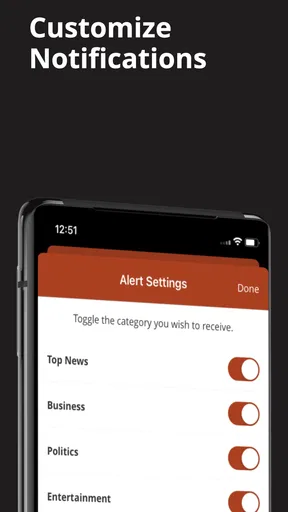
LA Daily News may offer push notifications for breaking stories, major local developments, sports updates, and other important events. Notification availability can vary by app version, device, and account settings. After installation, users can choose whether to allow alerts and may be able to adjust them through the app or their phone’s notification controls if they prefer fewer interruptions.
Is LA Daily News suitable for following local sports and community events?
Yes, LA Daily News can be useful for readers interested in local sports, high school athletics, community issues, and regional events. Its local focus gives it a different purpose from broad national news apps, especially for users who want stories connected to Los Angeles neighborhoods and teams. However, readers seeking comprehensive live scores or highly specialized coverage may still need dedicated sports apps.


